 Upload your PDF
Edit PDF
Add text, signatures, images, and annotations to your documents instantly.
Free to Use — No Sign-up required
Easily edit, merge, and compress your PDF documents online. Simple tools that just work — no downloads, no hassle.
Our Tools
Everything you need to work with PDFs, all in one place.
Add text, signatures, images, and annotations to your documents instantly.

Combine multiple PDF files into one clean, unified document.

Reduce file size significantly while keeping good visual quality.
How It Works
Get your PDF processed in under 30 seconds. No complexity, no
learning curve.

Drag and drop your PDF or click to browse. We support files up to 150MB.

Select the tool you need — edit, merge, or compress — and customize settings.

Your processed file is ready in seconds. Download and use it right away.
Edit PDF
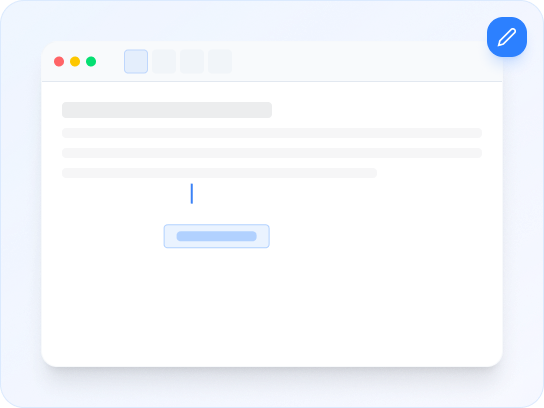
Add text, insert images, draw shapes, and annotate your PDF documents directly in your browser.
 Add and edit text anywhereInsert images and signaturesDraw shapes and annotationsSave and download instantly
Merge PDF
Merge multiple PDF documents into a single unified file and create the perfect final output.
Merge up to 20 files at onceDrag to reorder documentsPreserve original qualityFast parallel processing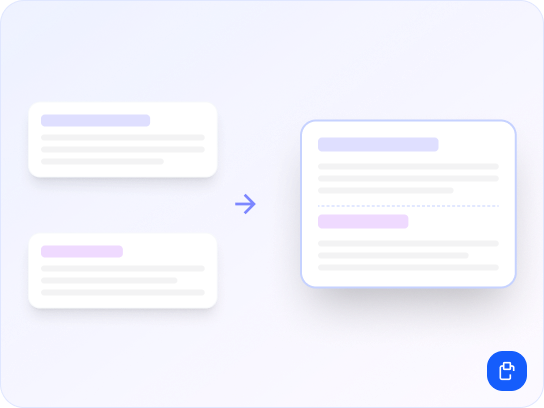
Compress PDF
Reduce your PDF file size by up to 80% with selectable quality levels for the best balance.
Up to 80% file size reductionThree compression levelsNo visual quality lossPerfect for email attachments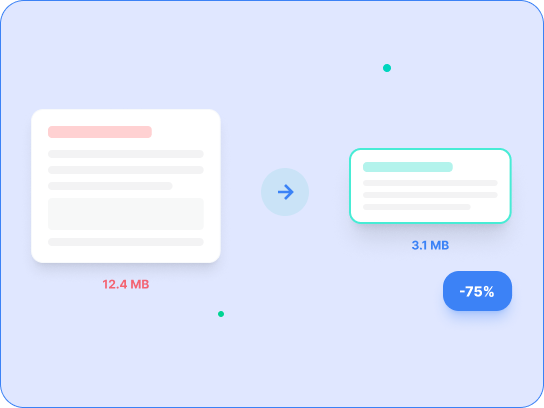
Why Choose Us
No bloat, no complexity. Just the tools you need, working perfectly.

Our engine processes your files in seconds, not minutes. Built with performance-first architecture.

All files are encrypted in transit and deleted automatically after processing for complete privacy.

No hidden fees or credit card required. Use core PDF tools without limits.
Works directly in your browser on desktop or mobile. No plugins, no sign-up required.
FAQ
Quick answers to the most common questions about DovePDF.
DovePDF is a free online PDF tool designed to make working with PDF documents simple and convenient. You can edit, merge, compress, and manage PDF files directly from your web browser without installing additional software.
Yes. DovePDF provides free access to its core PDF tools, including PDF editing, merging, and compression. No credit card is required to use these core features.
No. You can use DovePDF's most popular PDF tools without creating an account or signing in. DovePDF works directly in your web browser — there is no software, browser extension, or plugin to install.
DovePDF allows you to edit PDF documents directly from your browser. You can add text, images, signatures, shapes, drawings, and annotations to your PDF document. You can also sign a PDF without printing and scanning, insert images, and add visual annotations.
Yes. The Merge PDF tool allows you to combine up to 20 PDF files at once into a single PDF file. You can arrange your uploaded PDF files in your preferred order before creating the final merged document, and DovePDF is designed to preserve the original quality of your documents.
Yes. The Compress PDF tool is designed to reduce PDF file sizes while maintaining good document quality. DovePDF provides multiple compression levels so you can choose an appropriate balance between file size and document quality. Compressing a PDF makes it easier to email, upload, store, or share.
DovePDF currently supports PDF files up to 150 MB per file for most tools. You can drag and drop your PDF into the upload area or select the file from your device. If a file won't upload, confirm it is within the size limit, refresh the page, and check your internet connection.
DovePDF uses encryption in transit to help protect files while they are being transferred. Uploaded files are automatically removed after processing and are not intended to be publicly accessible to other DovePDF users. Users should always exercise appropriate care when uploading sensitive, confidential, or personally identifiable information to any online service.
DovePDF is designed to work through modern web browsers on desktop computers, laptops, tablets, and mobile devices — including Windows, Mac, and mobile. For the best experience, use a current version of a major modern browser. Keeping your browser updated can also improve security and compatibility.
Using DovePDF takes only a few steps: (1) Select the PDF tool you need, (2) Upload your PDF document, (3) Choose your desired options or make your edits, (4) Process the document, and (5) Download the completed PDF. DovePDF can be used by individuals, students, educators, professionals, and businesses for everyday browser-based PDF tasks.
Start processing your PDFs for free. No sign-up, no downloads — just results.
Upload Your PDF